
Protocols
SCEP
RFC 8894 enrollment for MDM-managed devices.
SCEP is supported by major MDM platforms. Each endpoint has its own URL:
https://pki.example.com/scep/<endpoint-id>
Use it for GetCACaps, GetCACert, and PKIOperation. HTTPS is required.
Endpoints advertise AES-128-CBC, SHA-256, POSTPKIOperation, Renewal, and SCEPStandard. The legacy switch also accepts inbound SHA-1 and 3DES. Responses always use AES and SHA-256. MD5 and single DES are not supported.
Create an endpoint
On the SCEP tab of SCEP · ACME · EST, select Add endpoint. Enter a name, select an issuing CA, and select Create endpoint.
- The CA binding is permanent.
- Use Edit on the Issuance policy card to change the name or policy.
- Renaming does not change the URL.
Use separate endpoints for populations that need different policies.
Issuance policy
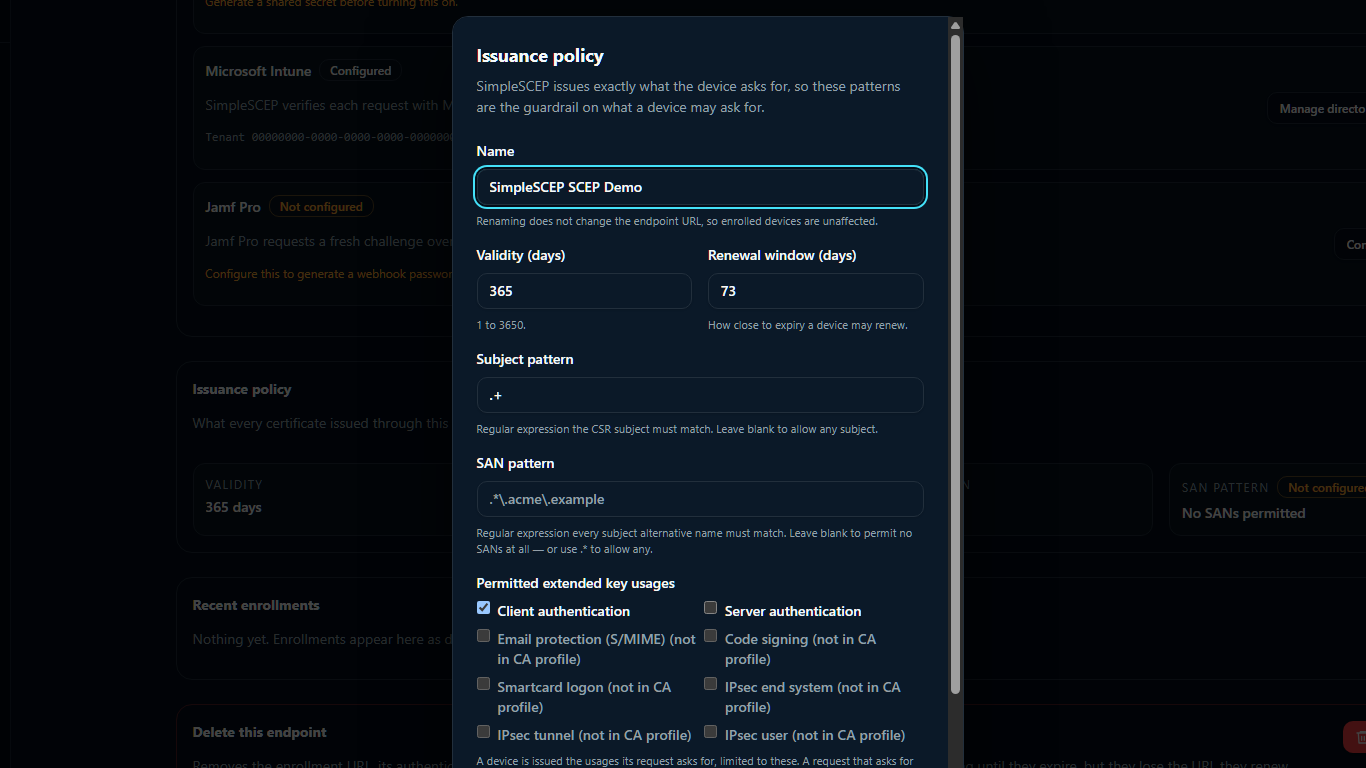
| Setting | Default | Notes |
|---|---|---|
| Validity | 365 days | 1–3650. Applied regardless of what the MDM profile asks for |
| Renewal window | 73 days | 1–365. Earliest point when a RenewalReq is accepted |
| Subject pattern | blank | Regular expression over the CSR subject |
| SAN pattern | blank | Regular expression over each subject alternative name |
| Permitted extended key usages | Client authentication | The ceiling on what a request may ask for |
An MDM's own validity setting is advisory and is ignored.
The rendered CSR subject encodes emailAddress as an OID (1.2.840.113549.1.9.1=#…). Anchor subject patterns on CN; match email addresses with the SAN pattern.
Authentication
A device presents a challenge password. The endpoint checks these methods in order:
- Renewal — a
RenewalReqsigned by an unrevoked certificate this endpoint issued, inside the renewal window. - One-time challenge — the password matches an unused, unexpired challenge.
- Shared secret — the password verifies against the endpoint's stored secret.
- Microsoft Intune — Microsoft validates the password.
Multiple methods can be enabled. A one-time challenge is consumed only after a successful match.
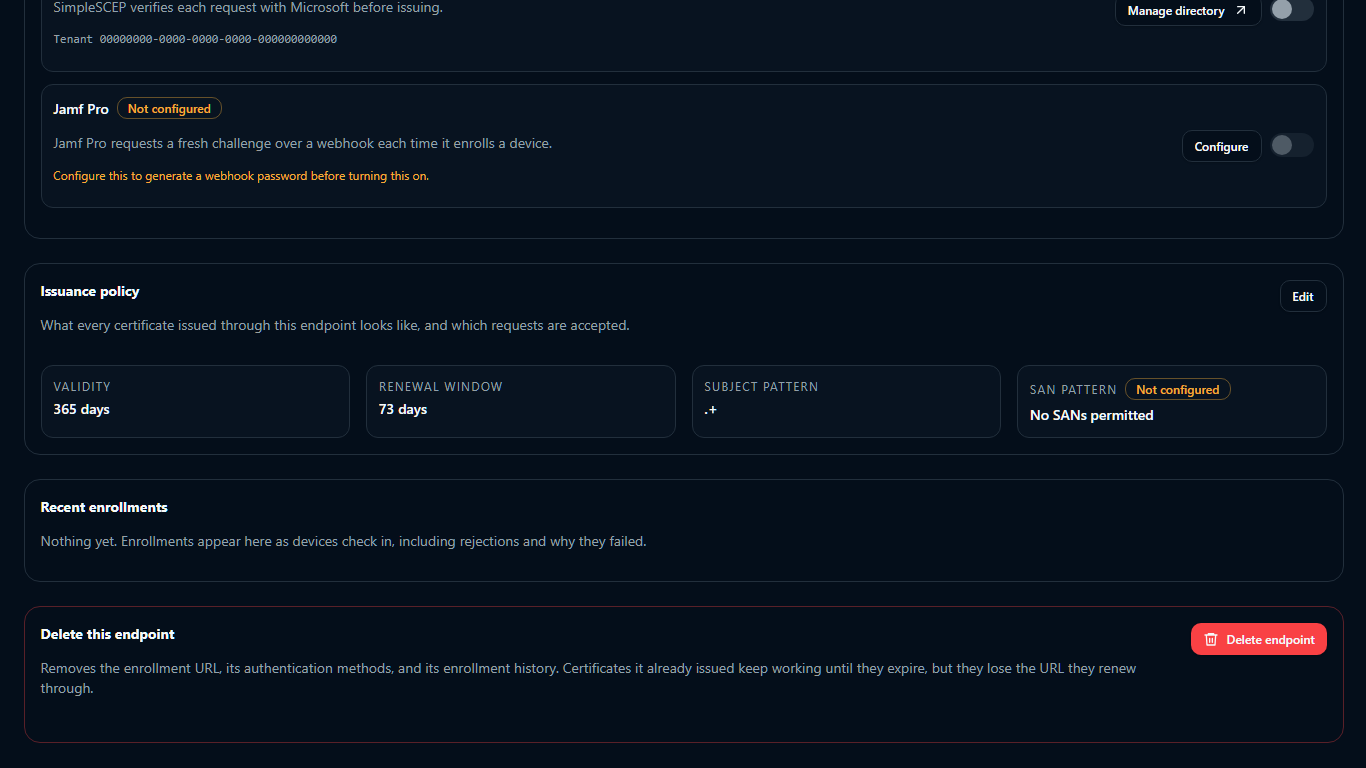
A refused request is recorded with its reason under Recent enrollments on the endpoint page.
See SCEP challenges and secrets, Microsoft Intune, and Jamf Pro.
Renewal
A renewal must fall within the renewal window and be signed by a valid certificate from the same endpoint.
Identical transaction retries return the original certificate. Reusing a transaction ID with a different CSR is rejected.
Delete an endpoint
Delete endpoint requires the endpoint name for confirmation. Deletion has these effects:
- The URL stops responding immediately. Every future enrollment fails.
- Issued certificates remain valid until expiry, but cannot renew.
- Intune can no longer revoke them. Manual revocation from Certificates remains available.
- Enrollment history, unused challenges, the shared secret, and the Jamf Pro webhook password are deleted. The certificates stay listed under Certificates.
To stop new enrollments without deleting data, turn the endpoint off. Revoke certificates before deletion if they should stop working.
Notes
- An enabled endpoint blocks retirement, rotation, or deletion of its issuing CA. Disable it first.
- An endpoint cannot be enabled until at least one authentication method is configured and on.
- A
PKCSReqneed not be signed by the key in its CSR — Windows signs with a throwawayCN=SCEP Protocol Certificatekeypair minted per attempt. The CSR's own self-signature is the proof of possession. Renewal is stricter. - Enrollment bodies are limited to 2 MiB. Enrollment responses are never cacheable.
- Logs record endpoint, operation, timing, and errors — never challenges, private keys, or full CSRs.